Blog

  • How to Plan a Wedding in 6 Months: A Practical Timeline

    How to Plan a Wedding in 6 Months: A Practical Timeline

    Six months until the wedding. Sounds like plenty of time, right? Yet many engaged couples start sweating at the mere thought of everything that still needs to be organized. If you’ve just announced your engagement and dream of a wedding in six months – don’t worry. It’s absolutely doable, but it requires a solid plan and consistent action. In this article, we’ll walk you through a practical timeline that will help you plan your dream wedding without unnecessary stress.

    Months 1-2: The Foundation of Your Wedding

    The first weeks are the time to make key decisions that will form the foundation of your entire planning process. There’s no time to waste – some things need to be booked as soon as possible.

    Set your budget and guest list. This is the absolute foundation where everything begins. Sit down together and have an honest conversation about how much you can spend on your wedding. Remember that the guest list directly affects costs – each additional person represents a moderate expense that adds up quickly. It’s better to be realistic from the start than to panic-cut your budget later.

    Book your ceremony and reception venues. With a six-month lead time, the selection of wedding venues may already be limited, especially for popular dates. Call, ask, negotiate. Sometimes it’s worth considering less obvious locations – restaurants with banquet halls, farm venues, or even tents in a beautiful garden. Weekday dates can be a great option – there’s significantly less demand for these dates, so venue and vendor availability is much better.

    Find a photographer and videographer. Good wedding photographers are often booked a year in advance. With a six-month timeline, you need to act fast. Browse portfolios, schedule meetings, and choose someone you feel comfortable with – after all, they’ll be with you throughout the entire day.

    Months 2-3: Visual Details and Entertainment

    Once you’ve secured the most important elements, it’s time to focus on the details that will give your wedding its character.

    Choose the wedding dress and suit. Wedding dresses often require several months for tailoring or ordering, plus time for alterations. If you dream of a custom-made gown, you need to act immediately. Alternatively – boutiques with ready-to-wear dresses or pre-loved wedding dress shops can be a lifesaver with a short timeline.

    Book a band or DJ. Music is one of the most important elements of a great party. Check reviews, listen to recordings from other weddings, and make sure the musical style matches your tastes. Also remember about music for the ceremony – a string quartet, an organist, or perhaps a playlist through speakers?

    Plan decorations and flowers. Wedding floristry isn’t just about the bride’s bouquet. It’s also table decorations, church arrangements, and car decorations. Schedule a consultation with a florist and present your vision. With a short preparation time, it’s worth being flexible – some flowers may not be available in certain seasons.

    Months 3-4: Formalities and Logistics

    You’re halfway there! Now it’s time for matters that require more organization than creativity.

    Handle formalities at the registry office or church. A civil ceremony requires booking a date at the office and submitting the appropriate documents. A church wedding involves marriage preparation classes, meetings with the priest, and certificates from the registry office. Don’t leave this until the last minute – government offices have their procedures.

    Send invitations. Nowadays, many couples opt for electronic invitations, but traditional paper ones have their charm. Regardless of the format – give guests at least 6-8 weeks to respond. This is important for finalizing the guest list and confirming numbers with your caterer.

    Plan entertainment for guests. Photo booth, candy bar, cigar bar, lawn games – these are elements that can make your wedding stand out. And speaking of attractions – also think about how guests will document this special day. After all, everyone has a smartphone with a camera in their pocket!

    How to Collect Photos from All Your Guests?

    This is a question more and more newlyweds are asking themselves. The professional photographer will capture the most important moments, but what about those spontaneous shots from the dance floor at three in the morning? Or the selfie at the bar when the groom is trying to open the champagne? Guests take these photos – and they often remain buried in their phones forever.

    Traditional solutions have their drawbacks. Group albums on Facebook? Not everyone has an account, and privacy can be problematic. WhatsApp? Photo compression and chaos in a group with 80 people. Asking guests to “email us your photos”? Honestly – how many people actually do that?

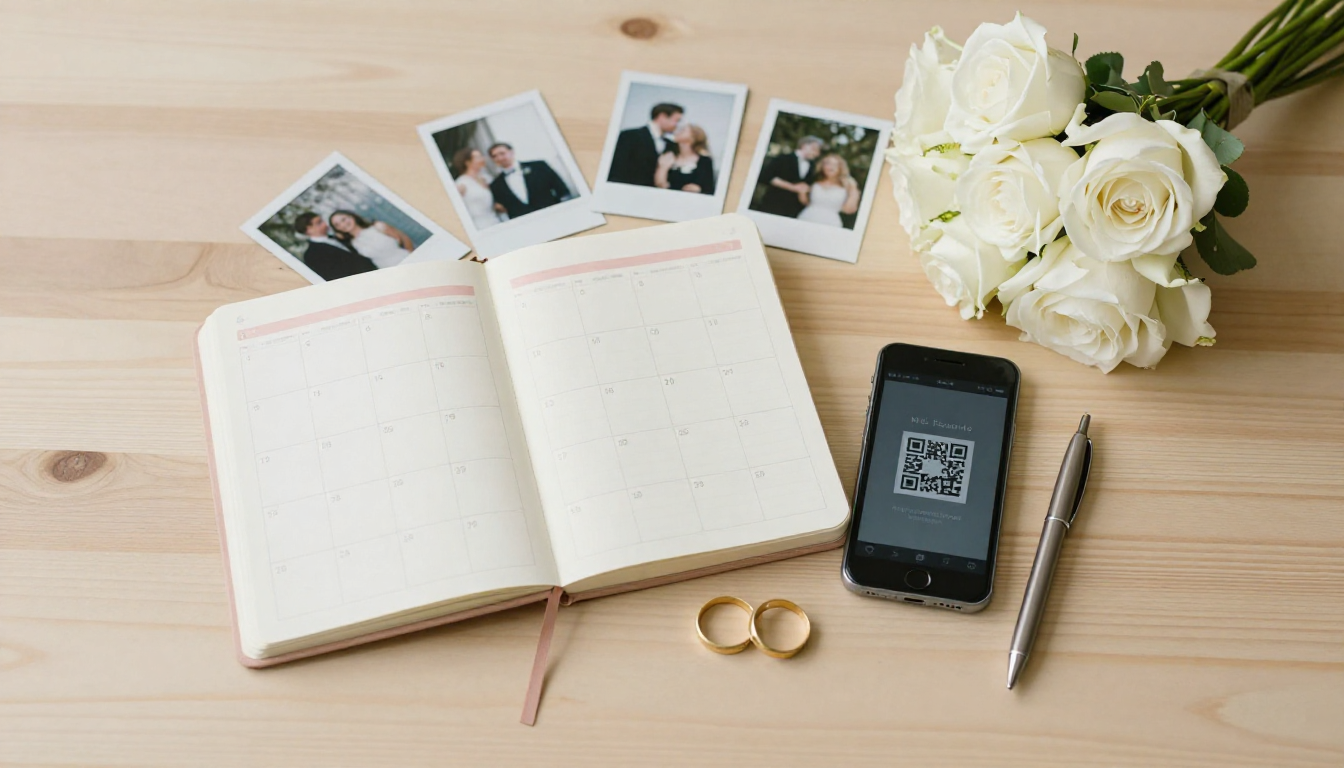
    That’s exactly why PixFiesta was created. It works on a QR code basis – guests scan the code with their phone and can immediately add photos to a shared gallery. No logging in, no installing apps, no complications. Just place the QR code on tables or at the entrance, and all the wedding photos will collect in one place.

    Months 4-5: Final Preparations

    The finish line is getting closer! This is the time for tying up loose ends and finalizing arrangements.

    Confirm all reservations. Call every vendor and make sure everything is current. Date, times, addresses, details – better to check twice than to have a surprise on your wedding day.

    Plan the menu and cake. A tasting at the wedding venue is not only a pleasure but also a duty. Set the menu, taking into account guests’ dietary needs (vegetarians, those with allergies), and choose the cake. Remember about drinks – alcohol, juices, water.

    Organize transportation. Who will drive the bride to the ceremony? How will guests get from the church to the venue? Do you need return transportation for guests who aren’t driving? These details might seem trivial, but on your wedding day, they become significant.

    Prepare a schedule for guests. Boards or brochures with the wedding timeline are becoming increasingly popular. Guests know when dinner is, when the cake is served, when special traditions happen. This eliminates constant questions like “what’s next?” and lets everyone enjoy themselves more.

    Months 5-6: The Week Before the Big Day

    The home stretch! Now organization and calm are what matter.

    Finalize the guest list. Confirm the final headcount with all vendors. Remember about seating arrangements – who will sit with whom at which table? This can be a real puzzle with complicated family dynamics!

    Prepare things for the wedding day. Dress, suit, rings, documents, shoes, undergarments, cosmetics, phone charger – make a list and pack systematically. Entrust the rings to a trusted person (preferably your best man or maid of honor) the day before.

    Prepare elements for collecting photos. If you’ve decided to use PixFiesta, print the QR codes and plan where you’ll place them. Tables, bar, photo booth, restrooms – the more locations, the better chance guests will notice and use it. You can also ask the DJ or MC for a brief encouragement during the reception.

    Relax. Seriously. The day before the wedding is not the time for panic. Everything that needed to be done has been done. Get a massage, meet with friends, get plenty of sleep. Tomorrow you’ll need energy!

    Practical Tips for the Wedding Day Itself

    A few things worth remembering when the big moment arrives:

    1. Delegate tasks. Designate people responsible for specific things – coordinating with the photographer, contact with the DJ, keeping track of the rings. You’re meant to enjoy yourself, not worry.
    2. Eat and drink water. Sounds trivial, but in the whirlwind of emotions, it’s easy to forget the basics. And fainting at the altar isn’t exactly the story you want to tell your grandchildren.
    3. Be present. Put your phones away – the photographer and guests are there for documentation. You should enjoy every moment.
    4. Don’t stress about minor mishaps. Something will go wrong. Something always goes wrong. And you know what? In a year, you’ll be laughing about it.

    After the Wedding – What About the Photos?

    The wedding is over, emotions have settled, and you return to reality with a million memories and… the need to collect keepsakes. If you used an app for collecting photos from guests, you already have everything in one place. You can browse, download, share. Guests see photos from other guests – and often discover moments they completely missed.

    Photos from your professional photographer usually arrive after a few weeks. But those spontaneous shots from guests? Thanks to solutions like PixFiesta, you have them immediately – and in full resolution, without compression.

    Summary

    Planning a wedding in 6 months is a challenge, but absolutely achievable. The key is good organization, flexibility, and the ability to delegate tasks. Remember that the most important thing is that one day – the moment when you say “I do” – not whether the napkins perfectly matched the flowers.

    Take care of the memories from this special day. A professional photographer will capture the official moments, but the real magic lies in the spontaneous photos from guests. Give them a simple tool to share their shots, and you’ll gain priceless keepsakes you didn’t even know existed.

    Try PixFiesta for free and see how easily you can collect all the photos from your wedding in one place – no logging in, no installing apps, just via QR code. The price? Less than a nice bottle of wine on your wedding table, and the memories – priceless.
  • 5 Ways to Collect Photos from Wedding Guests

    5 Ways to Collect Photos from Wedding Guests

    Imagine this situation: two weeks have passed since your wedding, the photographer just sent beautiful, professional photos, but… something’s missing. Where are those spontaneous selfies from the dance floor? Where are the shots from the perspective of guests who were having fun at table number seven? Where are those funny moments that the photographer simply couldn’t capture because they were on the other side of the room at the time? Sound familiar?

    The truth is that even the best wedding photographer can’t be everywhere at once. And your guests? They’re taking hundreds of photos with their phones throughout the evening. The problem is that these photos usually end up scattered across dozens of devices and never make it to one place. Unless you use the right strategy. Here are five proven ways to collect photos from wedding guests – from traditional methods to modern solutions.

    1. Group Chat on WhatsApp or Messenger

    A classic approach. Many couples decide to create a group chat where guests can share their photos. Sounds simple, right? And indeed – at first glance, this solution seems ideal. Everyone has WhatsApp, everyone knows how to add a photo to a group.

    But now for the flip side. First, you need to have phone numbers for all your guests – which with a wedding of 100+ people can be quite a challenge. Second, not everyone wants to be added to group chats (Uncle Bob really doesn’t need more notifications). Third – and this is probably the biggest problem – image quality. WhatsApp compresses images, so those beautiful shots lose their sharpness. And fourth: try finding a specific photo later in a chat where photos, well-wishes, emojis, and discussions about whether the DJ should play country music are all mixed together.

    1. Pros: free, everyone knows this method
    2. Cons: image compression, chaos in conversation, need to have all guests’ phone numbers

    2. Shared Album in Google Photos or iCloud

    A step toward organization. A shared cloud album is definitely a better option than a group chat. Photos are organized, don’t get mixed up with messages, and quality remains high. You can also easily download the entire collection to your computer.

    But is this really a solution for everyone? Not quite. Guests need to have a Google account or Apple ID – and need to be logged in on their phones. For the younger generation, this is no problem, but Grandma Betty or your uncle visiting from abroad might struggle with this. Besides, some guests simply won’t want to log in or create an account just to upload a few wedding photos. The result? You collect photos from maybe half of your guests.

    1. Pros: good image quality, organized albums
    2. Cons: requires logging in, not all guests have the right account, technological barrier for older people

    3. Dedicated Instagram Hashtag

    A solution for social media lovers. You set up a unique hashtag, e.g., #SarahAndMikeWedding2026, inform guests on invitations or signs at the entrance, and voilà – all photos tagged with this hashtag can be easily found in one place.

    Seriously, this sounds great on paper. In practice, however, there are some catches. First, not all guests have Instagram (yes, I know, hard to believe, but it’s true). Second, not everyone wants to post private wedding photos on their social media. Third, if someone has a private account, their photos won’t be visible under the hashtag to others. And finally – photos on Instagram are also compressed, and downloading them in good quality is an extra hassle.

    1. Pros: easy searching, nice social media integration element
    2. Cons: not everyone has Instagram, privacy concerns, image compression, difficulty downloading

    4. Traditional Disposable Cameras on Tables

    Vintage vibes. Disposable cameras are experiencing a certain renaissance – they’re Instagrammable, retro, and produce those characteristic, slightly imperfect photos that have their own charm. Placed on tables, they encourage guests to take spontaneous shots.

    But are there better ways? The problem with disposable cameras is that the cost can be surprisingly high. The camera itself is moderately priced, but then you add the cost of developing the photos – which adds up considerably. With ten cameras, it becomes quite a substantial sum. Plus, some photos will turn out blurry, overexposed, or simply poorly framed. And you have to wait for development – you won’t see the results right away. Besides, in the age of smartphones, guests will be taking photos with their phones anyway, so disposable cameras are more of an add-on than a main solution.

    1. Pros: retro atmosphere, fun for guests
    2. Cons: high total cost, unpredictable quality, waiting time for development

    5. Photo Collection App with QR Code

    A modern solution that combines the advantages of all the previous ones. The idea is simple: you generate a unique QR code for your event, guests scan it with their phone and can immediately add photos to a shared online gallery. No logging in, no installing apps, no creating accounts. Works on any smartphone.

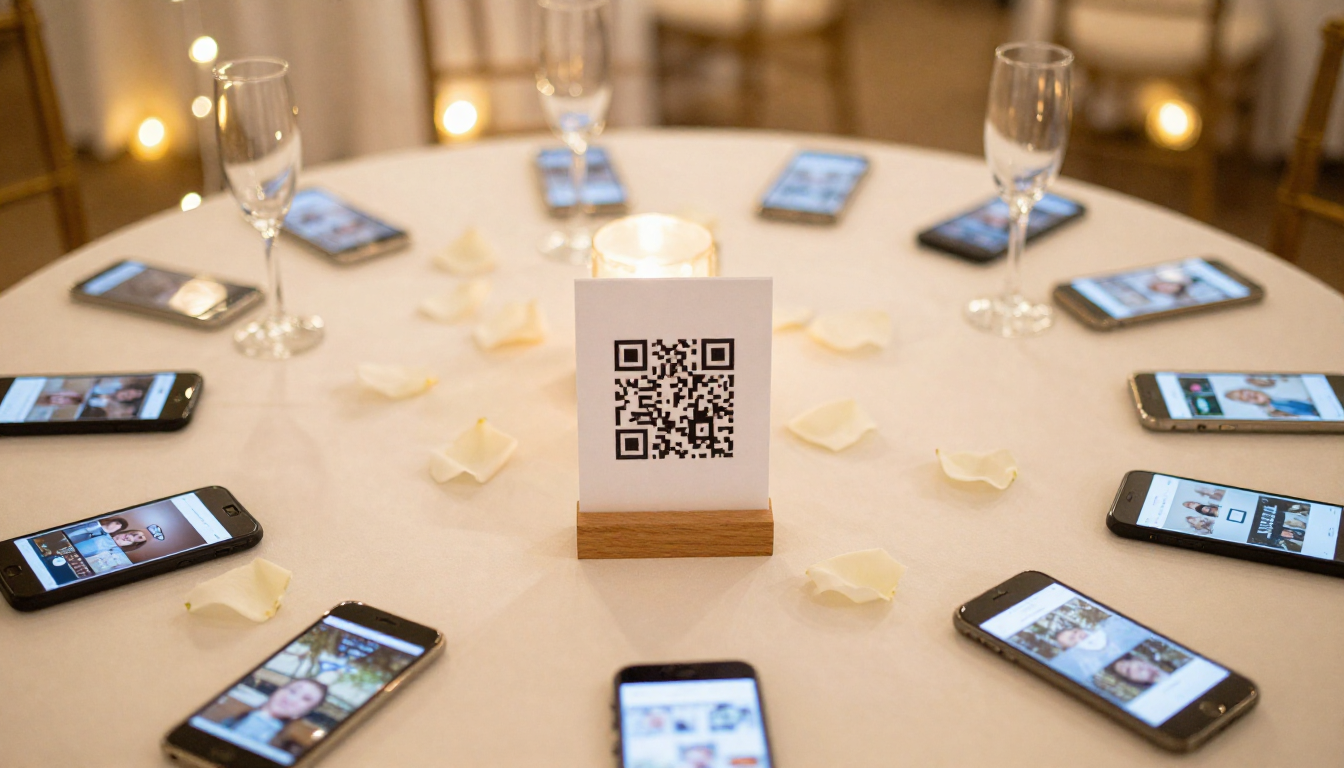
    This is exactly how PixFiesta works – an app created specifically with weddings and parties in mind. Just print the QR code and place it on tables, at the entrance, or on invitations. A guest scans the code with their phone camera, a webpage opens (no need to download anything!), and they can immediately upload photos. Simple as that.

    Why does this work better than other methods?

    First, no technological barriers. Grandma Betty can handle it – just scan the code and click “add photo.” No need to remember passwords, no need to create accounts, no need to install any apps. Second, all photos end up in one place, immediately in good quality. Third, as organizers, you have access to the gallery in real-time – you can view guests’ photos while the wedding is still happening!

    1. No login required – guests don’t need any account
    2. Works on any phone – just needs a browser
    3. Original quality photos – no compression
    4. Real-time access – you see photos immediately
    5. One link or QR code – easy to share with all guests

    How to Effectively Encourage Guests to Share Photos?

    Regardless of which method you choose, success depends on one thing: whether guests will know what to do. Here are some practical tips:

    Inform guests in advance. Mention the shared gallery in the invitation or on your wedding website. People like to know what to expect.

    Prepare visible instructions. If you’re using a QR code, print it on elegant cards and place one on each table. Add a brief note: “Scan and share your photos from today’s celebration!”

    Ask the best man and maid of honor for help. They can encourage guests during their speech or simply show how it works at their table.

    Remind guests during the party. The DJ or MC can mention the gallery – it’s a good moment when guests are already warmed up and eager to take photos.

    How Much Does It Cost? Method Comparison

    Before you make a decision, it’s worth comparing costs:

    1. Group chat – free (but with limitations)
    2. Google/iCloud album – free (requires logging in)
    3. Instagram hashtag – free (limited reach)
    4. Disposable cameras (10 units) – quite expensive when you factor in development costs
    5. PixFiesta – very affordable for the entire event

    As you can see, a dedicated photo collection app is not only the most convenient but also a very economical solution. For a fraction of what you’d spend on disposable cameras with development, you get a professional tool that will collect photos from all your guests.

    Summary

    Each of the methods described has its pros and cons. Group chats are chaotic, cloud albums require logging in, Instagram hashtags have limited reach, and disposable cameras are expensive and unpredictable.

    If you’re looking for a solution that is simple for guests (really for all guests, including the aunt who barely knows how to use a smartphone), collects photos in original quality, doesn’t require logging in or installation, and costs less than a flower centerpiece for a table – then a QR code app will be the best choice.

    Wedding photos are memories for years to come. It’s worth making sure to collect as many as possible – not just those from the photographer, but also those spontaneous, funny, imperfect shots from the perspective of your loved ones. Because these are the ones that best capture the atmosphere of that special day.

    Try PixFiesta for free and see how easy it is to collect all your memories in one place.

  • How to Avoid Losing Wedding Photos Taken by Your Guests

    How to Avoid Losing Wedding Photos Taken by Your Guests

    Picture this scenario: it’s been a month since your wedding, the emotions have settled, and you’re eagerly waiting for photos from your photographer. Meanwhile, you remember that Aunt Susan took fantastic shots during the reception, your friend Mike captured your first dance from an angle the photographer couldn’t get, and your colleague Anna recorded the best man’s speech. The problem is, none of them have sent you those photos yet. And they probably never will – not out of spite, but simply because they’re busy, forgot, or “just never got around to it.” Sound familiar?

    Losing wedding photos taken by guests is one of the most common problems newlyweds face. Your professional photographer delivers beautiful, polished shots, but it’s often those spontaneous photos from guests that capture the party atmosphere better than any staged shot ever could. In this article, I’ll show you how to make sure none of these precious memories are lost forever.

    Why Do Guest Photos So Often Disappear?

    Before we dive into solutions, it’s worth understanding the scope of the problem. According to various estimates, as many as 70-80% of photos taken by wedding guests never make it to the couple. Why does this happen?

    1. No single, easy channel for sharing. Guests don’t know where to send their photos – email? Messenger? WhatsApp? Or maybe set up a shared Google Drive folder?
    2. Procrastination and forgetfulness. After the wedding, everyone goes back to their daily routine. “I’ll send it tomorrow” becomes “I’ll send it next week,” and then the whole thing slips their mind.
    3. Technical issues. Large photo and video files are difficult to send through popular messaging apps, which often compress or block them.
    4. Phone upgrades or accidental deletion. Photos get left behind on old devices or get lost during a gallery “cleanup.”
    5. Plain old embarrassment. Some guests think: “My photos are probably worse than the photographer’s, why bother sharing them?”

    And now the flip side – as the newlyweds, you have a thousand other things on your plate after the wedding. Thank-you notes, settling up with vendors, maybe heading off on your honeymoon. Reaching out to every guest asking for photos takes a back seat, and the more time passes, the harder it becomes.

    Traditional Methods of Collecting Photos – Are They Worth It?

    Over the years, couples have developed various ways to collect photos from guests. Let’s look at the most popular solutions and how effective they really are.

    A Shared Group on Facebook or WhatsApp

    How it works: Before or after the wedding, you create a group and ask guests to add their photos. Sounds simple, right?

    Pros: Most people already have accounts on these platforms, so there’s nothing to install. Photos are immediately available to all group members.

    Cons: Facebook and WhatsApp compress photos, which significantly reduces their quality. Not all guests (especially older generations) use these apps. Plus, posting private wedding photos on Facebook can raise privacy concerns. Groups often turn into notification chaos, and after a few days, activity dies down.

    Google Drive or Dropbox

    How it works: You create a cloud folder and share the link with guests, who can upload their photos.

    Pros: Photos retain their original quality. Everything is in one place and easy to download.

    Cons: Requires guests to log into a Google or Dropbox account, which is a barrier for many people. Older guests often struggle with these tools. Links are easy to lose or forget.

    Email or Text Requests After the Wedding

    How it works: After the wedding, you send a message to all guests asking them to share their photos.

    Pros: Direct contact, ability to personalize the message.

    Cons: Time-consuming – you have to write to everyone individually. Many guests won’t respond or will only respond after multiple reminders. Sending large files via email is problematic.

    Disposable Cameras on Tables

    How it works: A classic from the ’90s and 2000s – a disposable camera sits on each table for guests to use.

    Pros: Nostalgic vibe, photos have that characteristic analog look.

    Cons: The cost of buying cameras and developing photos can be surprisingly high. Photo quality is unpredictable (dark reception halls are challenging for cheap cameras). Some shots will be duds. You have to collect all the cameras and take them to be developed – that’s extra effort.

    The Modern Solution: Photo Collection Apps with QR Codes

    Seriously, we live in a time when practically every wedding guest has a smartphone in their pocket with a camera better than professional DSLRs from a decade ago. So why not harness that potential in a smart way?

    Modern event photo collection apps, like Zdjęcia z Przyjęcia, solve all the problems of traditional methods. How does it work? It’s incredibly simple:

    1. You create an event online. It literally takes a minute.
    2. You receive a unique QR code. You can print it and place it on tables, at the entrance, in invitations, or on a welcome board.
    3. Guests scan the code with their phone. They don’t need to install anything, log in, or create an account. They simply scan and can immediately add photos to the shared gallery.
    4. All photos end up in one place. You have access to them in real-time – you can browse them even during the wedding!

    This solution combines simplicity with functionality. It requires zero technical effort from guests, and saves you hours of asking, reminding, and collecting photos from various sources.

    Practical Tips: How to Maximize the Number of Photos Collected

    The app itself is the foundation, but success also depends on how you encourage guests to actively participate. Here are some proven tips:

    Make Sure the QR Code Is Visible

    Place it in multiple spots. One code on a table at the entrance isn’t enough. What works great: small stands with the code on each reception table, a poster by the photo booth (if you have one), a sticker on the bathroom mirror (seriously, it works!), and information in the invitation or on your wedding website.

    Explain What It’s All About

    Add a brief instruction. Not everyone will immediately understand the concept. Next to the QR code, include simple text like: “Scan, upload your photos, and let’s create a shared album of this special day!” You can also ask the DJ or MC to make a quick announcement.

    Choose the Right Moment for a Reminder

    Timing matters. The best moments to encourage guests to take and upload photos are: while waiting for the couple (guests are bored anyway), after the first dance and official ceremonies, when the dance floor heats up, and toward the end of the wedding – so no one forgets to upload their photos.

    Be Specific in Your Request

    Tell them what you’re looking for. Instead of a generic “upload your photos,” you can ask for specific shots: guests’ reactions during speeches, behind-the-scenes prep moments (if guests had access), dancing and party fun, decoration details, and candid shots – natural, unposed moments.

    What to Do with the Photos After the Wedding?

    You did it! You have hundreds (maybe thousands?) of photos from your guests. Now what?

    1. Review and sort. Not every photo will be a masterpiece – select the best ones for your family album and keep the rest as keepsakes.
    2. Share the gallery with your guests. It’s a lovely gesture – let everyone see photos from other attendees. The Zdjęcia z Przyjęcia app automatically creates a gallery accessible to anyone with the link.
    3. Create a physical keepsake. A photo book made from guest photos makes a fantastic gift for parents or grandparents. You can also create a collage or a video recap of the wedding from your guests’ perspective.
    4. Make a backup. Download all the photos to a hard drive or cloud storage. Even the best app can’t replace your own backup.

    How Much Does It Cost and Is It Worth the Investment?

    Wedding budgets are always a hot topic. Is it worth spending money on a photo collection app?

    Let’s put it in perspective. A professional photographer costs several thousand dollars. A photo booth runs $400-800 for the evening. Disposable cameras (10 units plus developing) cost around $150-200. An app like Zdjęcia z Przyjęcia costs about $25 for the entire event.

    For the price of a few bottles of wine, you potentially get hundreds of unique photos that no photographer could have captured. Photos taken by guests have special value – they show the wedding through the eyes of people who love you and are celebrating alongside you.

    Conclusion: Don’t Let the Memories Disappear

    A wedding is just one day, but the memories last a lifetime. Your professional photographer will capture the official moments, but it’s often those spontaneous guest photos that bring out the biggest emotions years later. Grandma’s smile during the party, your friend striking a funny pose on the dance floor, your mom’s tearful expression during the speeches – these shots are priceless.

    Don’t let these memories get lost in a sea of unanswered messages and forgotten promises of “I’ll send it to you tomorrow.” Plan your guest photo collection in advance, choose a simple and intuitive solution, and enjoy having a complete collection of memories from the most important day of your life.

    Modern technology means this really doesn’t have to be complicated. One QR code, no installation, no login – and all the photos in one place. It’s probably the easiest wedding decision you’ll ever make!

    Try Zdjęcia z Przyjęcia for free and see how easy it is to collect photos from your wedding guests!